Perspective
What Happens When AI Joins the Design Team
December 19, 2025

When we first introduced AI into our workflow, it quickly found its place across both product and graphic design processes.
In Product Design, AI acts as a creative co-designer - transforming ideas into refined content and accelerating early design steps.
For visual design, Al enables faster asset creation and style exploration, allowing us to test more ideas in less time.
After experimenting with AI in our daily work, we wanted to see how it could support a real-world scenario from the ground up, starting from a simple written brief and ending with a working concept.
Most conceptual work begins with a short written document - a few paragraphs describing a scenario that needs to be visualized and understood as a system. There are no wireframes, diagrams, or visuals, just words outlining objectives and interactions. Starting purely from written words can feel abstract, so we introduced AI as a creative collaborator to help turn early ideas into something more tangible.
We began by feeding the written brief into an AI tool and asked it to outline a structured flow. Within minutes, it proposed how a user might navigate through the experience, from reviewing information to uncovering key connections. The output wasn’t a final design, but it provided a strong foundation. Instead of beginning with a blank page, we now had a logical flow that a designer could refine into sketches, screens, and interactions, turning words into an initial design journey.
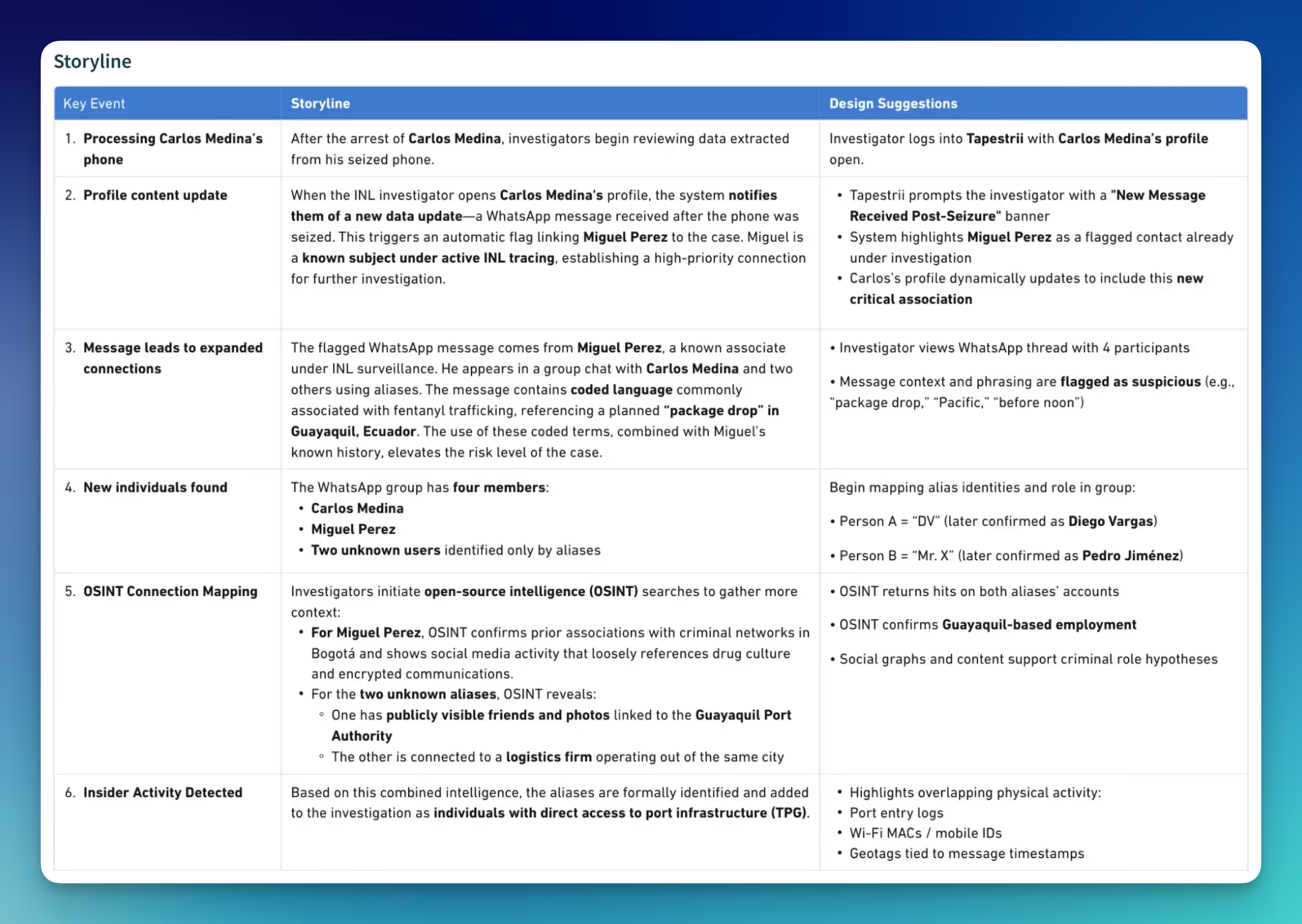
Once the overall user flow has been established, we use Al again. This time, to help generate metadata and supporting content for the design. The system generated realistic examples, including field names, status messages, and contextual information, that a designer can directly apply to the prototype.
Even without pre-existing data or reference materials, Al quickly helped fill in those details. After reviewing and refining for accuracy and relevance, we integrated the content into the mockups. Making the concept feel more authentic and connected to the use case
Al has also changed the way our team produces and manages design assets. Tasks that previously required hours of manual effort, from sourcing reference images, resizing visuals, or generating multiple style variations, can now be completed in minutes. We can now use Al tools to create icons, illustrations, and mockups that align with brand tone and project needs, allowing designers to focus on refining ideas rather than repetitive tasks.
Al has helped us bridge gaps between abstract ideas and tangible outcomes. Letting us transform simple requirements into interactive concepts more efficiently than before. Through this collaborative process, what began as a simple written brief evolved into a clear, structured experience that turns uncertainty into direction and static text into a living, visual story.
Al doesn't just make us work faster; it makes early ideas feel real sooner, giving us more time to iterate and improve.
Since introducing AI, we’ve noticed that repetitive work is shrinking while creative time is expanding. On average, tasks that used to take hours now take half the time, giving us more room to focus on design quality and user experience. Here is a table comparing the time before and after applying AI to the design process.
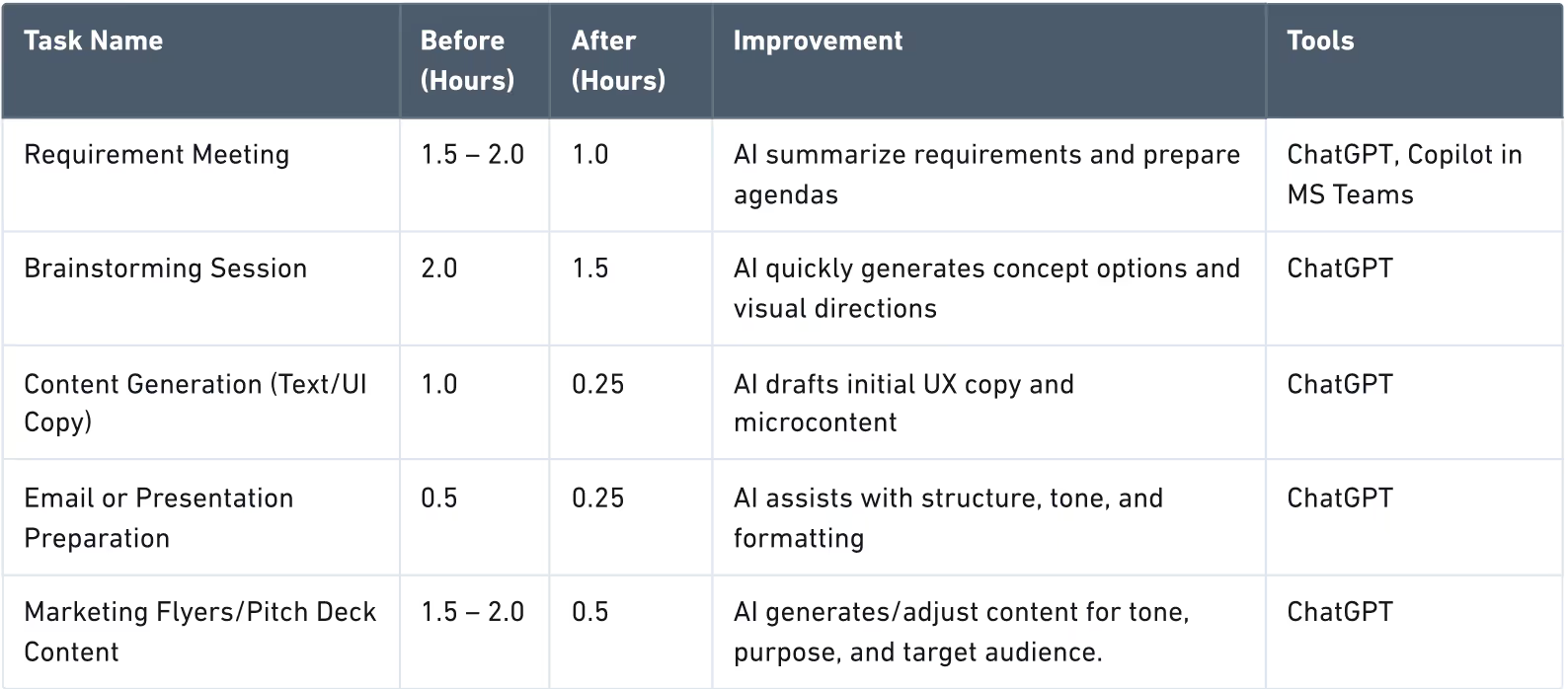
Our average design cycle is now 30-40% faster, allowing us more time for creative exploration and refinement. With Al preparing structured ideas in advance, discussions are shorter, more focused, and far more productive.
Our team applies Al across three of four design phases, from research and ideation to prototyping and content refinement. Designers use Al to gather insights, validate ideas, and accelerate execution. While not every task needs Al, its growing presence shows strong adoption and confidence across the team.
Even with great results, there are lessons learned along the way. Consistency and skill maturity remain the key challenges to effectively scaling Al adoption. Creating shared prompt libraries and visual standards could help stabilize quality across the team.
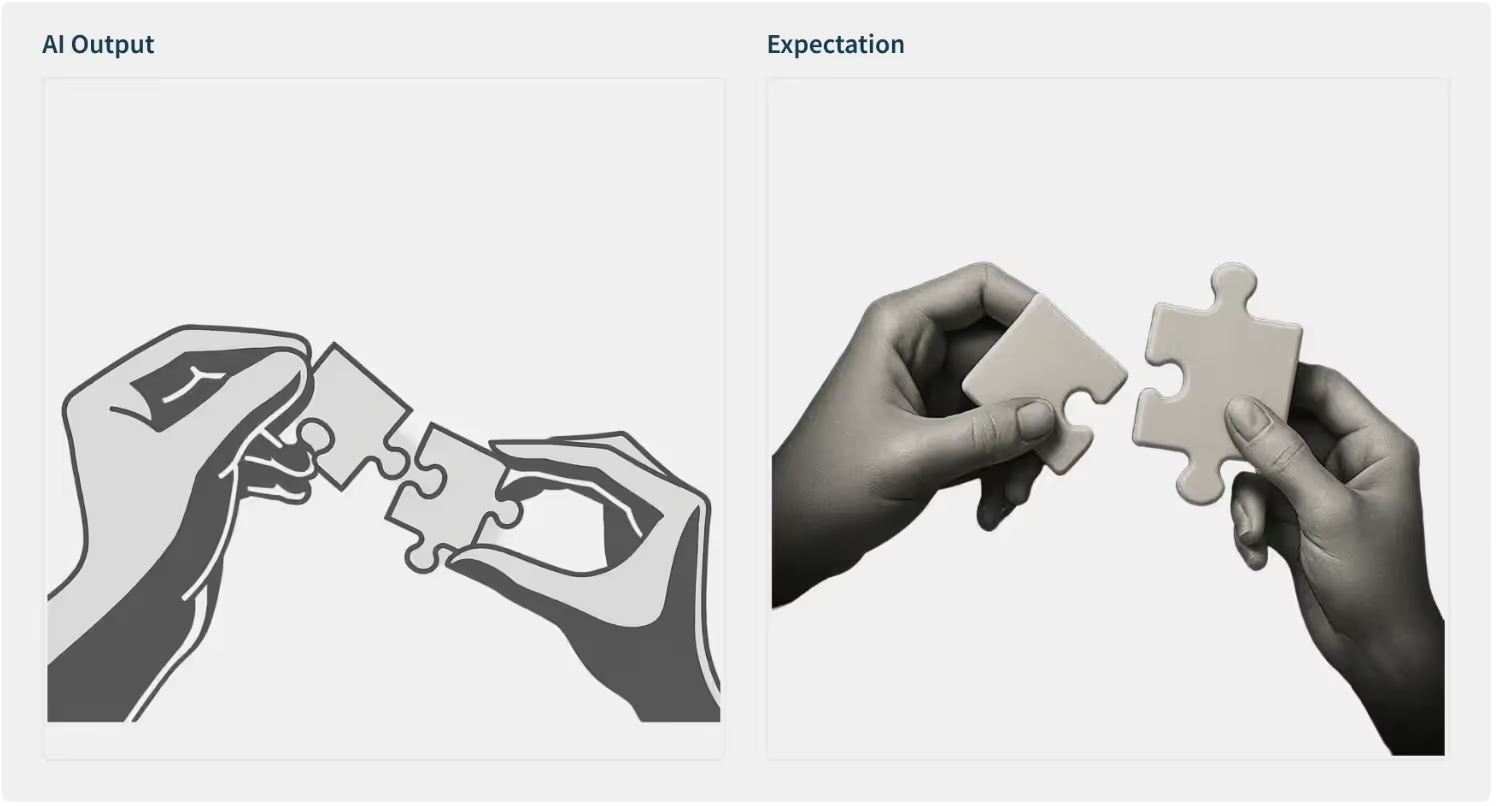
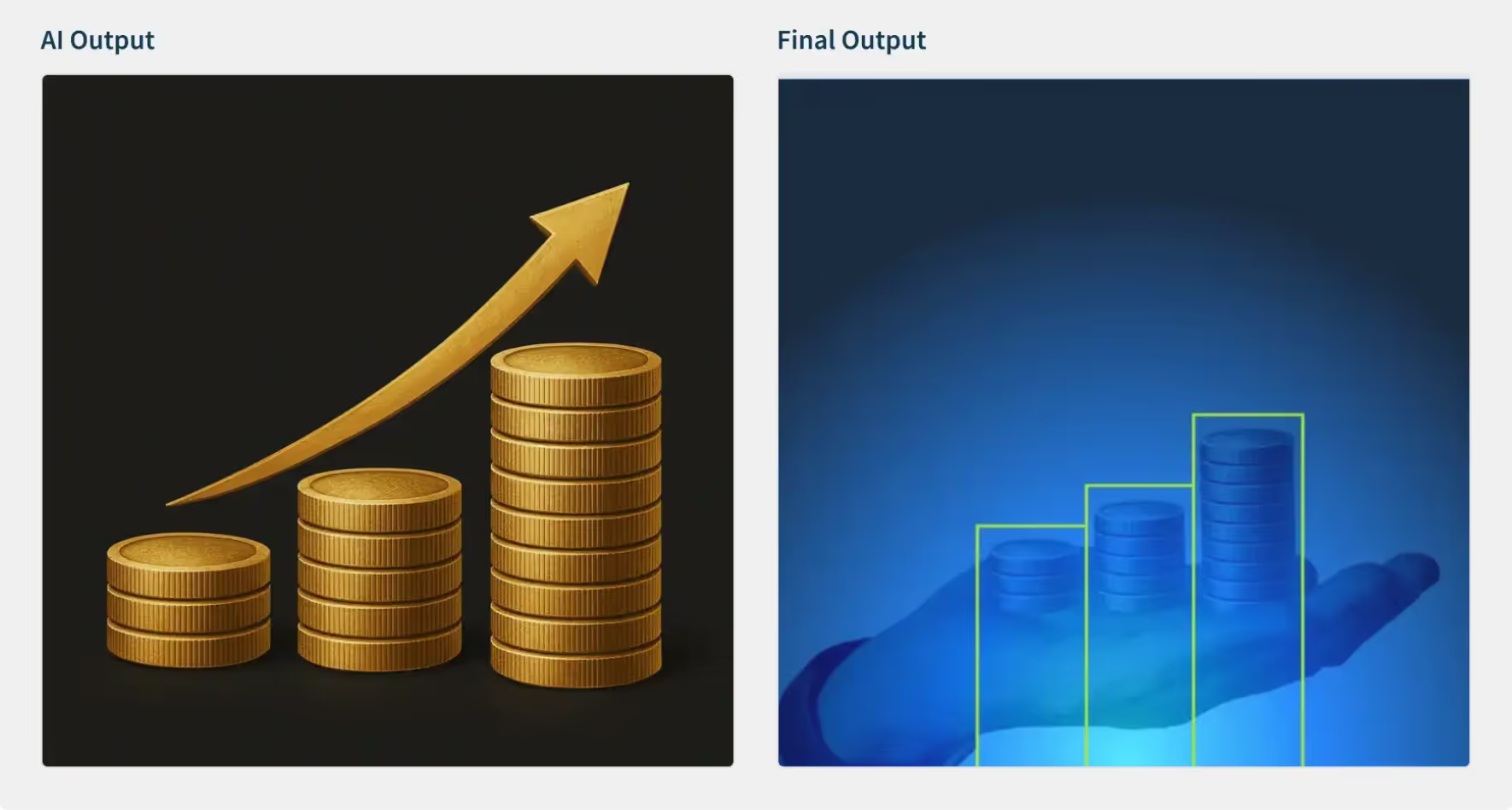
Al-generated visuals sometimes lack realism or precision. They are great starting points, but still need a designer's touch for professional polish.
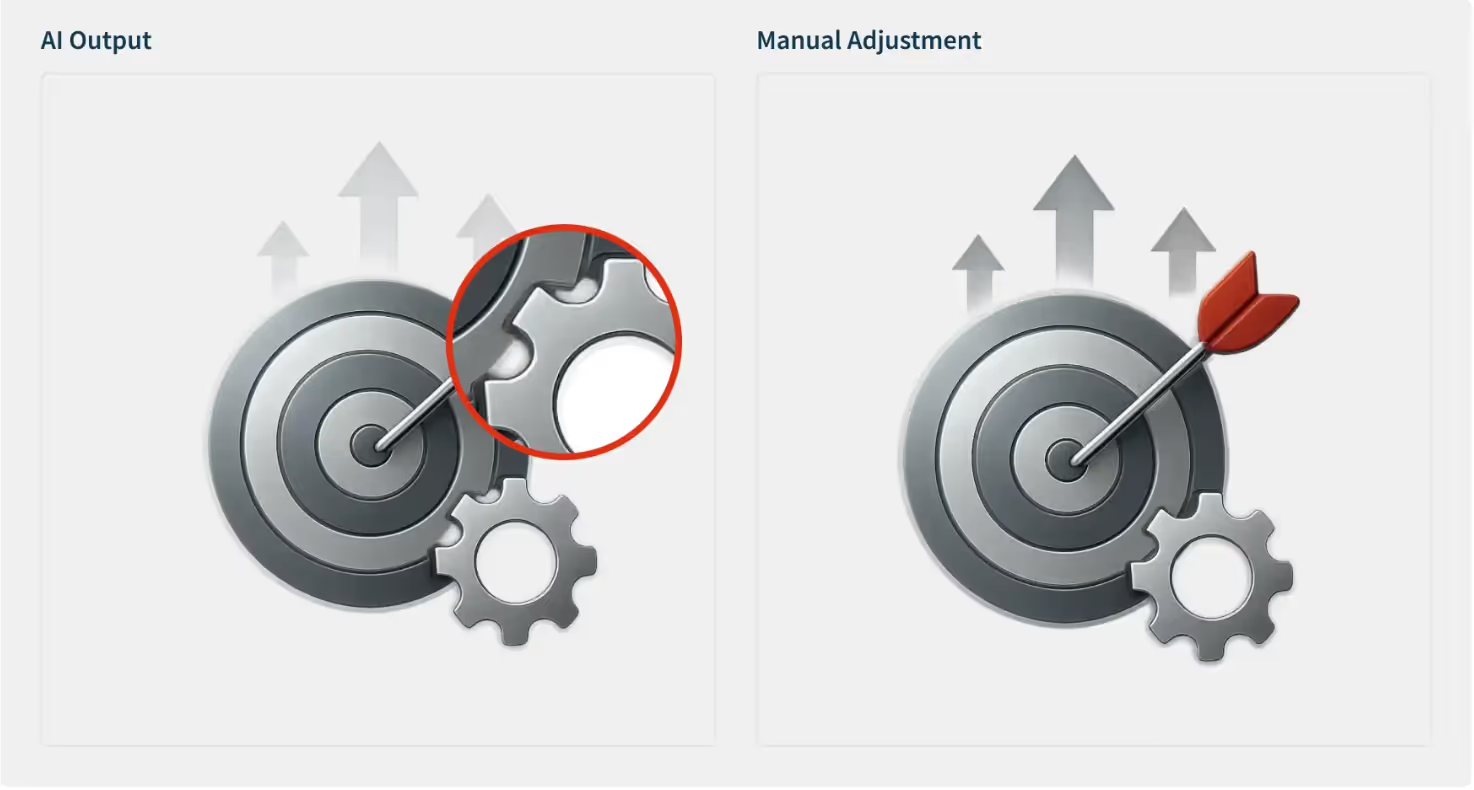
Each designer's prompt writing varies. Some are detailed, others keep it concise and intuitive. The result? Inconsistent outputs. We are addressing this by building a shared prompt library to align tone, style, and quality across projects.
Adopting Al isn't plug-and-play. It requires experimentation and patience. Switching between image generators or prompt formats means learning new parameters and refining output expectations, but once mastered, productivity skyrockets.
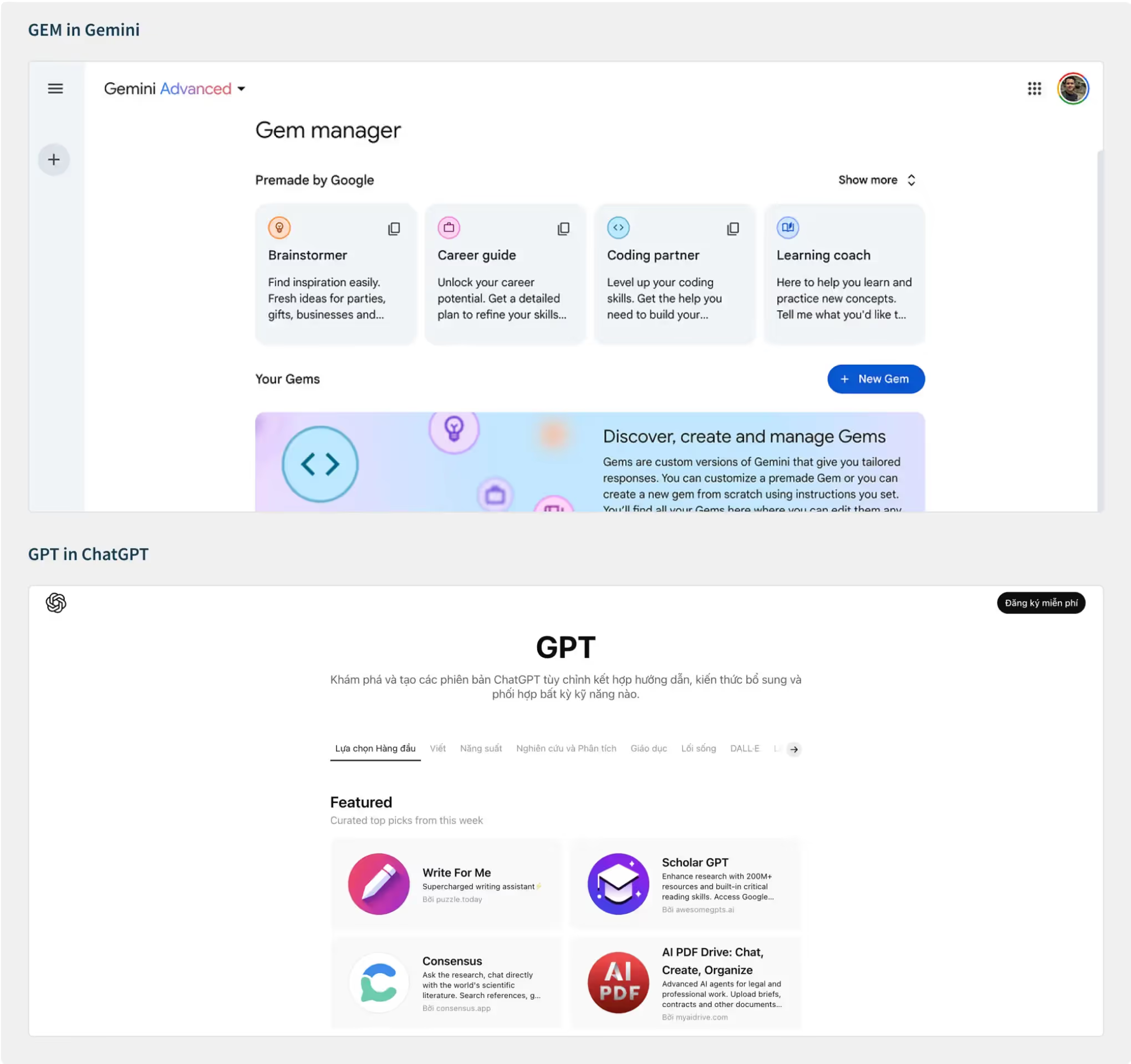
For example, each Al platform has its own vibe. Gemini comes with the GEM feature, ChatGPT runs on GPT, so switching between them means learning a whole new rhythm and way of working.
As Al becomes a daily part of design, governance and responsibility are essential. We have established internal practices to safeguard our creativity and ensure compliance.
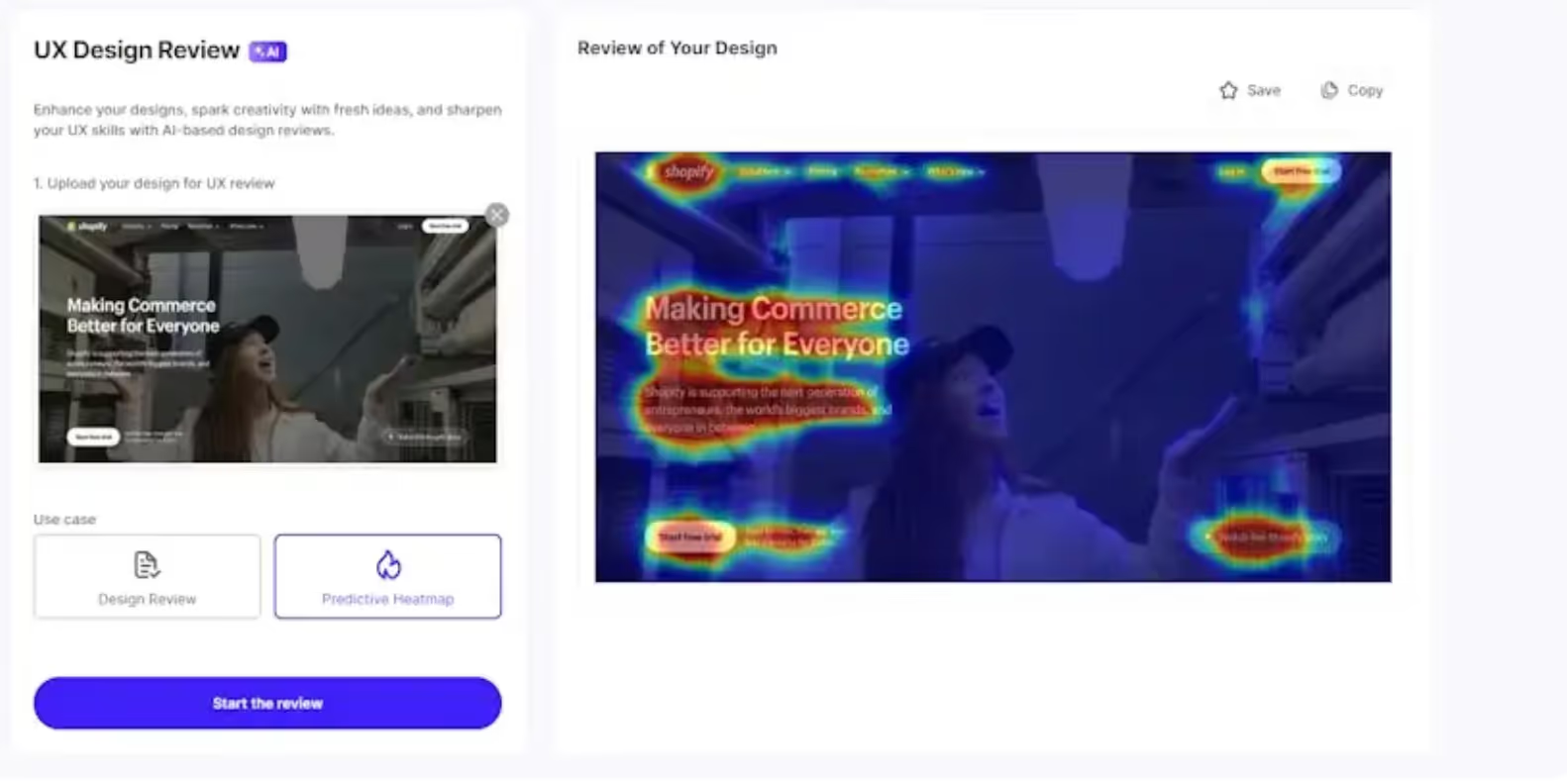
We are exploring ways to expand Al into the testing phase, using it for usability insight, behavior prediction, and feedback analysis.
Imagine reviewing a design in Figma or on the web and getting real-time recommendations for layout, accessibility, and tone. That's where we are headed next, a full-cycle design process supported by Al from ideation to validation.
Our Al journey isn't static; it evolves with every project, prompt, and experiment. To keep pace, our process has to adapt to these changes, and we're building a framework for continuous learning and improvement.
Three months in, Al feels less like a shiny experiment and more like an everyday partner. It helps us think faster, collaborate smarter, and create with greater intention.
The real win? It hasn't replaced our creativity; instead, it's made room for more of it. With every iteration, Al becomes less of a tool and more of a teammate, helping us focus on what truly matters: creating inspiring experiences.
Faster for design cycle
Shorter Draft-to-Production
Shorter Draft-to-Production